 Penstock
Edit, check and deploy BPMN diagrams where you already work.
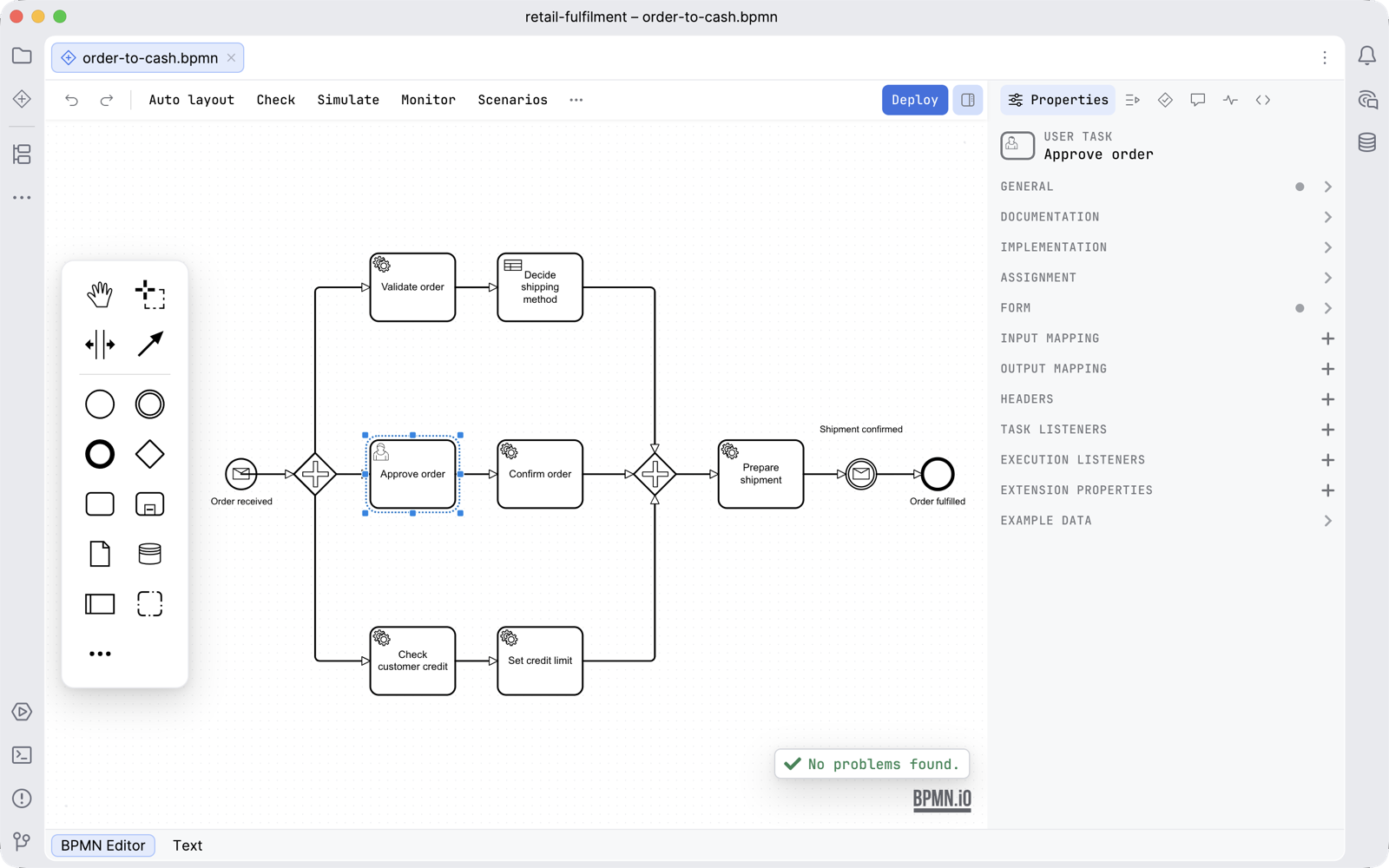
Penstock is a visual editor for BPMN, DMN and Camunda forms, for Camunda 7, Camunda 8, Operaton and CIB seven. It runs in JetBrains IDEs and in VS Code, and a command line runs the same checks in your pipeline. Diagrams stay in your project, next to the code.
Free. Every new machine gets 30 days of Pro, with nothing to sign up for.
Install it in your tool
The features, the licence and the trial are the same in all three.
Penstock and press Install. More on installing.code --install-extension penstock.penstock, or press Install on the Marketplace page. More on installing.npm install -g @kern0x1b/penstock-cli, or try it once with npx @kern0x1b/penstock-cli. It needs Node.js 22.22.2 or later in 22, 24.15.0 or later in 24, or 26 and later. More on the command line.Then follow Get started: from nothing installed to a checked, deployed process in about ten minutes.
From drawing to running
One guide, written once. It describes the same editor in every tool.
Free, Pro and Team
Everything a modeller needs is free: the editors, the properties panels, the command palette, the sidebar, templates, token simulation, the check and its lint, deploy, Monitor, export, share and import.
Pro adds what only Penstock does: auto layout, flow analysis, code links, scenarios, the visual diagram diff, converting Camunda 7 to Camunda 8 and more. One rule decides which plan a feature needs: Pro on your machine, Team in a pipeline.
Every machine starts with 30 days of Pro. The licence is a signed token that the plugin, the extension and the command line check offline.
| Free | No charge, and every new machine starts with 30 days of Pro. |
| Pro | USD 9.00 per month or USD 90.00 per year |
| Team | USD 29.00 per month or USD 290.00 per year for each seat |
Prices are per plan. Team is priced for each seat. How buying and signing in work.
See exactly what each plan includes. See exactly what leaves your machine: nothing but a deployment to your engine, and no telemetry.
Requirements and support
| VS Code | The extension penstock.penstock, for VS Code 1.88 or later. |
| JetBrains IDEs | Any JetBrains IDE from 2024.2 with JCEF, which the standard downloads bundle: IntelliJ IDEA, WebStorm, PyCharm, GoLand, Rider and the rest. |
| Engines | Camunda 7, Camunda 8, Operaton, CIB seven, and plain BPMN 2.0. |
| Command line | Node.js 22.22.2 or later in 22, 24.15.0 or later in 24, or 26 and later. |
| Licence | Free, with 30 days of Pro on every new machine. One licence covers the JetBrains plugin, the VS Code extension and the command line. Read the end user licence and the third-party notices. |
| Bugs and requests | GitHub issues. A .bpmn file that shows the problem saves the most time. |
| Vulnerabilities | Reported privately. See SECURITY.md. Please do not open a public issue. |
| Changelog | CHANGELOG.md |